I spent three hours last Tuesday trying to find a single charging cable, only to realize my “organized” desk had become a graveyard for tangled wires and half-finished projects. Most of the home office setup ideas you see on social media are total garbage—they’re designed to look good in a filtered photo, not to actually function when you’re deep in a high-stakes workflow. You don’t need a $2,000 ergonomic throne or a minimalist aesthetic that leaves you with nowhere to put your coffee; you need a system that actually works when the chaos of the day hits.
I’m not here to sell you on expensive gadgets or trendy decor that adds more clutter to your life. Instead, I’m going to share the practical, systems-based approach I use to keep my own workspace dialed in and distraction-free. We’re going to strip away the fluff and focus on high-impact, low-cost tweaks that reclaim your focus. My goal is to help you build a setup that serves your productivity, rather than one that requires constant maintenance and management.
Table of Contents
- Small Space Home Office Solutions That Reclaim Your Floor
- Minimalist Workspace Design to Kill Mental Clutter
- Five Practical Upgrades to Stop the Friction in Your Workday
- The Bottom Line: Systems Over Stuff
- The Philosophy of the Setup
- Stop Managing Your Desk and Start Working
- Frequently Asked Questions
Small Space Home Office Solutions That Reclaim Your Floor
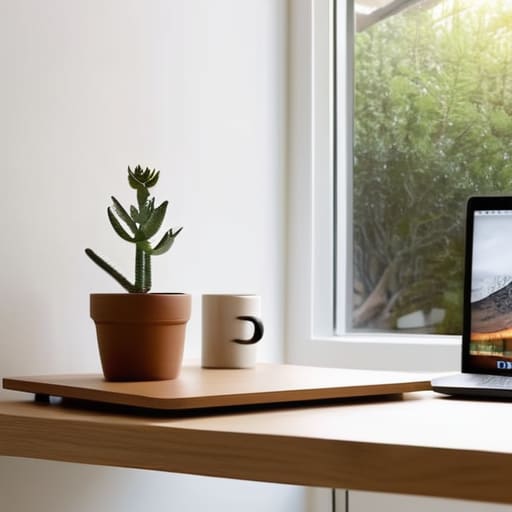
If you’re working out of a corner of your bedroom or a tiny studio apartment, you know the feeling: your desk feels like it’s swallowing the room whole. When floor space is a premium, you have to stop thinking horizontally and start thinking vertically. I’ve found that utilizing wall-mounted shelving or floating desks is the best way to implement small space home office solutions without making the room feel like a cubicle. By lifting your hardware off the ground, you create a visual lightness that keeps the room from feeling claustrophobic.
Don’t forget that a cluttered footprint leads to a cluttered mind. I always recommend a minimalist workspace design where every item has a specific, dedicated home. Instead of a massive executive desk, look for a compact, slim-profile workstation that provides just enough surface for your laptop and a notebook. If you need more screen real estate, don’t reach for a wider desk; instead, look into monitor arms. They clear up your desk surface and allow you to tuck your gear away when the workday is done, helping you reclaim your mental clarity once you clock out.
Minimalist Workspace Design to Kill Mental Clutter
If your desk looks like a graveyard for half-finished projects and random cables, you aren’t just fighting a mess; you’re fighting your own focus. I’ve learned the hard way that every stray paper or tangled cord acts like a tiny, silent distraction pulling at your brain. To build a truly productive remote work environment, you have to stop treating your desk like a storage unit. I follow a strict “one-in, one-out” rule: if a tool doesn’t serve a specific, daily purpose, it goes in a drawer or leaves the room entirely.
The goal of minimalist workspace design isn’t to live in a sterile white box, but to remove the friction between you and your work. I focus on high-quality essentials rather than a collection of gadgets. This means investing in one solid, reliable piece of equipment—like a high-quality chair—rather than five cheap accessories. When you strip away the visual noise, you stop managing your clutter and start actually doing the work you sat down to do. Keep the surface clear, keep your tools within reach, and let your mind breathe.
Five Practical Upgrades to Stop the Friction in Your Workday
- Get your cables under control with a dedicated management system; a tangled web of wires isn’t just an eyesore, it’s a constant, low-level distraction that breaks your focus.
- Invest in a high-quality, ergonomic task chair because your back shouldn’t be the price you pay for a productive afternoon.
- Optimize your lighting by layering ambient light with a focused desk lamp to prevent eye strain and signal to your brain that it’s time to dial in.
- Set up a “landing strip” for your essential tools—a specific spot for your notebook, pen, and screwdriver—so you never waste five minutes hunting for the things you need to start.
- Implement a “one-in, one-out” rule for your desk surface to ensure that new gadgets or decor don’t slowly turn your streamlined workspace back into a cluttered mess.
The Bottom Line: Systems Over Stuff
Stop treating your desk like a storage unit; if a tool or gadget doesn’t serve a direct purpose in your daily workflow, it doesn’t belong in your line of sight.
Invest in verticality and modularity to win back your floor space, ensuring your environment adapts to your needs rather than forcing you to work around its limitations.
Build a setup that reduces friction, because the less time you spend fighting your equipment or searching for a pen, the more mental energy you have left for the work that actually matters.
The Philosophy of the Setup
Your desk shouldn’t be a list of chores you haven’t finished yet; it should be a calibrated tool that clears the path for your best work.
Liam Anders Chen
Stop Managing Your Desk and Start Working
At the end of the day, building a better home office isn’t about buying the most expensive ergonomic chair or the flashiest gadgets on the market. It’s about the intentionality behind your choices. We’ve looked at how to maximize every square inch of a small room, how to use minimalist design to silence the visual noise that drains your focus, and how to implement systems that keep your gear in its place. Whether you are fighting for floor space or fighting for mental clarity, the goal remains the same: create a setup that serves your workflow rather than one that demands constant maintenance. When your tools are organized and your space is dialed in, you stop fighting your environment and start actually getting things done.
Don’t let the pursuit of the “perfect” setup become another item on your to-do list that causes more stress than it solves. Perfection is a moving target, but functionality is something you can achieve right now with a little bit of discipline and a few small adjustments. Start small—maybe it’s just clearing off your desktop or routing those messy cables—and build from there. Life is far too short to spend it wrestling with a disorganized workspace. Strip away the excess, refine your systems, and reclaim your time so you can get back to what actually matters.
Frequently Asked Questions
How do I manage cable clutter without spending a fortune on expensive-looking organizers?
You don’t need a $100 designer cable management kit to fix this. I usually start with heavy-duty velcro ties—skip the plastic zip ties; they’re a pain to adjust later. Route your cables along the underside of your desk using adhesive clips or even simple command hooks. For the floor mess, a cheap under-desk wire basket or even a repurposed shoebox can hide your power strip. It’s about function, not aesthetics. Keep it tidy, keep it simple.
What’s the best way to set up a workspace if I don't have a dedicated room and have to work from the dining table?
If you’re stuck at the dining table, you need a “modular office” approach. Don’t try to live at the table; instead, invest in a high-quality, portable laptop stand and a dedicated tech caddy. When the workday ends, everything—the charger, the mouse, the notebook—goes into the caddy and into a drawer. You need a clear physical boundary so that when you sit down to eat, you aren’t staring at a reminder of your inbox.
How can I balance having the tech I need for work with a minimalist aesthetic that doesn't feel cold or empty?
The trick is to stop treating your tech like office equipment and start treating it like part of your environment. I use cable management sleeves to hide the “spaghetti” and stick to peripherals with matte finishes rather than flashy RGB. To keep it from feeling cold, bring in some organic textures—a cork desk mat or a small wooden stand for your phone. It’s about functional warmth, not empty space.
