Stop wasting your money on those “signal booster” gadgets that promise to revolutionize your home network but end up just cluttering your shelf. Most of the advice you find online about how to fix slow wifi is designed to sell you a more expensive router or a subscription service you don’t actually need. I’ve spent enough time digging through technical manuals and troubleshooting my own setup to know that the solution is rarely a $300 piece of plastic; it’s usually just a matter of optimizing the systems you already have in place.
I’m not here to give you a lecture on network protocols or bury you in jargon that makes your eyes glaze over. My goal is to strip away the complexity and give you a few practical, repeatable steps that actually work. I’ll show you how to audit your placement, manage your bandwidth, and clear out the digital noise so you can stop fighting with your connection and get back to your life. Let’s get your connection stable so you can stop managing your tech and start actually using it.
Table of Contents
Master Wifi Router Placement Tips for Instant Relief

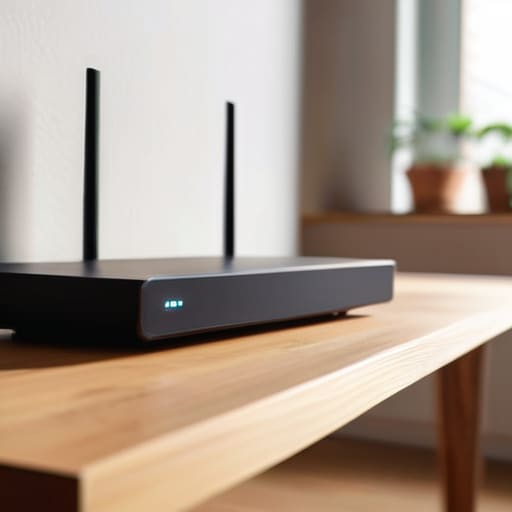
Before you start digging through settings or calling your ISP, look at where your router actually lives. Most people hide theirs in a cabinet, behind a TV, or tucked away in a corner near the floor. That is a mistake. Radio waves are physical things; they hate walls, metal, and heavy furniture. To see an immediate difference, move your router to a central, elevated location in your home. Think of it like a lightbulb—the higher and more central it is, the more evenly it illuminates your space.
If you can’t move the hardware, you need to reduce wireless interference from other electronics. Keep the router away from microwaves, baby monitors, and even large mirrors, which can bounce and scatter your signal. If you’re still seeing dead zones, try to optimize network bandwidth by ensuring your router isn’t competing with every other smart device in the house. Sometimes, the simplest physical adjustment is the most effective way to stop fighting your connection and start actually using it.
Use an Internet Speed Test Troubleshooting Routine

Before you start tearing your walls open to move cables, you need to stop guessing and start measuring. I’ve learned the hard way that “feeling” like the internet is slow isn’t a diagnostic tool. You need a repeatable internet speed test troubleshooting routine to see what’s actually happening. I grab my laptop, sit right next to the router, and run a test. This gives me a baseline. If the speed is high there but drops when I move to the couch, I know I’m dealing with a range issue rather than a service provider problem.
Once you have that baseline, run the test again from the room where you’re actually struggling. If the numbers tank, it’s time to look at the environment. This is where you check if you need to reduce wireless interference from things like microwaves or baby monitors, or if you simply need to change wifi frequency band from the crowded 2.4GHz to the faster 5GHz. Don’t waste an hour troubleshooting a hardware failure if the issue is just a congested channel. Get the data first, then apply the fix.
Five Low-Effort Tweaks to Kill the Lag
- Switch to the 5GHz band. Most routers broadcast two signals: 2.4GHz and 5GHz. The 2.4GHz band is crowded with interference from microwaves and neighbors’ tech; if you’re close to the router, switch your devices to 5GHz for a cleaner, faster lane.
- Update your firmware before you lose your mind. It sounds tedious, but running an outdated router is like trying to run modern software on a decade-old machine. Log into your admin panel and check for updates—it often fixes the exact stability bugs that cause sudden drops.
- Audit your “bandwidth vampires.” If your connection chokes every night at 8 PM, check which devices are running heavy background tasks. A console downloading a massive patch or a cloud backup running in the background can starve your laptop of the speed it needs for work.
- Clear the physical clutter. I see people hiding routers inside wooden cabinets or behind heavy metal decor. Radio waves don’t like obstacles. Give your router some breathing room and a clear line of sight whenever possible.
- Change your DNS settings. Your ISP’s default DNS is often slow and unreliable. Swapping to a more efficient provider like Google (8.8.8.8) or Cloudflare (1.1.1.1) in your router settings can make the entire internet feel snappier by speeding up how quickly your devices find websites.
The Bottom Line for a Faster Connection
Stop letting your router hide in a closet or sit behind a heavy desk; move it to a central, open spot to give your signal the breathing room it needs.
Run a speed test regularly to separate a hardware problem from a service provider issue—don’t waste time troubleshooting your gear if the problem is actually your ISP.
Focus on small, repeatable adjustments to your setup rather than chasing expensive, complex tech solutions that don’t actually solve the underlying friction.
The Philosophy of Connectivity
“A slow connection isn’t just a technical glitch; it’s a leak in your daily productivity. Stop treating your router like a magic box and start treating it like a piece of hardware that needs a logical, systematic setup.”
Liam Anders Chen
Reclaim Your Connection
At the end of the day, fixing slow Wi-Fi isn’t about mastering complex network engineering; it’s about applying a few logical steps to eliminate the friction in your digital life. We’ve looked at how moving your router out of that dusty corner can make a massive difference, and how running a quick speed test can tell you if the problem is actually your service provider rather than your hardware. By optimizing your placement and establishing a simple troubleshooting routine, you stop guessing and start solving. Don’t let a spinning loading icon dictate the flow of your evening or derail your focus when you’re trying to get things done.
My philosophy has always been that our tools should serve us, not the other way around. When your technology works seamlessly in the background, you gain something far more valuable than high-speed downloads: you gain mental clarity. You stop fighting with your devices and start using them to actually move through your day. Take these small, systematic steps today so you can spend less time staring at a buffering screen and more time focusing on what actually matters. Let’s get your setup running like a well-oiled machine so you can get back to living.
Frequently Asked Questions
Should I actually bother upgrading to a mesh system, or is my current router just being stubborn?
Look, don’t go dropping hundreds on a mesh system just yet. If your router is sitting in a closet or tucked behind a metal filing cabinet, no amount of expensive hardware will fix that signal. Try the placement tweaks we discussed first. If you’ve optimized the position and the speed tests still show massive dead zones in your house, then yes—it’s time to upgrade. Don’t buy gear to fix bad habits.
Does changing the Wi-Fi channel on my router settings actually make a noticeable difference in a crowded apartment building?
Short answer: Yes, absolutely. If you’re living in a crowded apartment block, you’re essentially fighting a digital war for airwaves. Your neighbors’ routers are constantly screaming over yours on the same frequencies, creating massive interference. Think of it like trying to have a conversation in a loud bar. Switching to a less congested channel is like finding a quiet corner in that bar—it clears the noise so your data can actually get through.
Is my slow connection a problem with my service provider, or is my hardware just outdated and failing me?
It’s the million-dollar question. To figure it out, look at the pattern. If your speeds drop only during peak evening hours, your ISP is likely throttling or overcapacity. But if the connection feels sluggish across all devices, or if your router feels hot to the touch, your hardware is the culprit. If your router is more than four years old, it’s probably struggling to handle modern bandwidth. Don’t waste time debugging a dying piece of plastic.
