I remember sitting at my desk last Tuesday, surrounded by three different external hard drives and a tangled mess of USB cables, trying to find a single PDF for a project. It was a complete system failure. I realized then that most people approach digital organization like they’re hoarding junk in a garage; they buy more hardware instead of actually learning how to use cloud storage to create a seamless workflow. We’ve been sold this idea that “more storage” is the solution, but more physical drives just mean more points of failure and more clutter on your desk.
I’m not here to sell you on some overpriced, bloated ecosystem that demands a monthly subscription just to breathe. My goal is to strip away the technical jargon and show you how to build a functional, minimalist digital setup that actually works for your life. I’m going to walk you through my personal framework for organizing files, syncing devices, and automating your backups so you can stop digging through digital junk and get back to what matters.
Table of Contents
- The End of Digital Clutter Cloud Storage vs Local Storage
- Seamless Living Syncing Files Across Devices Without the Friction
- 5 Systems to Stop Your Cloud from Becoming a Digital Junk Drawer
- The Bottom Line: Stop Managing Files and Start Using Them
- The Philosophy of Digital Flow
- Stop Managing Files and Start Living
- Frequently Asked Questions
The End of Digital Clutter Cloud Storage vs Local Storage

I used to be a “save everything to my desktop” kind of guy. I thought having my files physically sitting on my hard drive meant I was in control. In reality, I was just building a digital graveyard. When my old laptop finally gave up the ghost three years ago, I realized that relying solely on cloud storage vs local storage wasn’t just a technical debate—it was a massive single point of failure. If that one piece of hardware died, my entire workflow died with it.
Moving to a cloud-first mindset changed everything for my mental clarity. Instead of worrying about whether I backed up a specific folder before a meeting, I rely on the seamless process of syncing files across devices. It means I can start a project on my desktop at the office and pick it up on my tablet while I’m grabbing coffee, without the frantic “where did I save that?” panic. It’s about removing the friction between your ideas and your tools. When your files are accessible anywhere, you stop managing hardware and start actually doing the work.
Seamless Living Syncing Files Across Devices Without the Friction
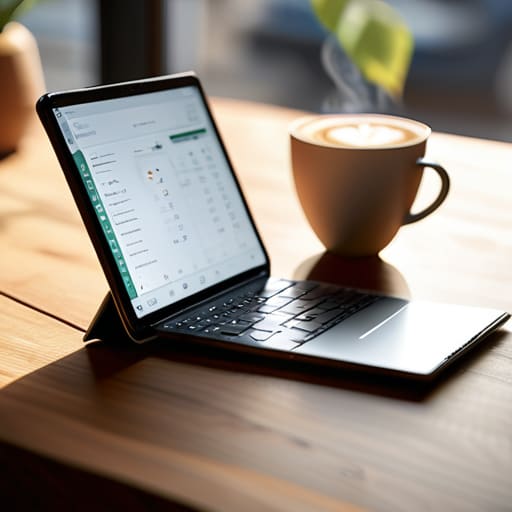
There is nothing that kills my momentum faster than being halfway through a project on my desktop, only to realize I’m stuck at a coffee shop with nothing but a tablet. In the old days, that meant hunting for a thumb drive or, worse, emailing a file to myself like a digital scavenger hunt. Now, I treat syncing files across devices as a non-negotiable part of my workflow. When I update a spreadsheet on my work laptop, I expect it to be sitting there, ready to go, on my phone by the time I pick it up.
This isn’t just about convenience; it’s about removing the friction between an idea and its execution. The real benefits of remote file access show up when you stop thinking about “where” a file lives and start focusing on the work itself. Whether I’m pulling up a technical manual on my phone or finishing a budget draft on my tablet, the transition should be invisible. If you have to stop and think about how to access your data, your system is broken. Aim for a setup where your files follow you, not the other way around.
5 Systems to Stop Your Cloud from Becoming a Digital Junk Drawer
- Stop the “Dump and Forget” habit. If you just drag every random file into the cloud without a naming convention, you’re just moving the mess from your hard drive to a server. Use a simple `YYYY-MM-DD_ProjectName_Version` format so you can actually find things when you’re in a rush.
- Audit your “Shared” folders once a month. We’ve all been there—sharing a folder for a one-off project and then leaving it open for years. If you don’t need to give someone access anymore, revoke it. It’s better for your privacy and keeps your digital workspace lean.
- Use the “Selective Sync” feature to save your sanity (and your bandwidth). You don’t need every single high-res photo or massive archive sitting on your laptop’s local drive. Keep the active projects local and let the heavy, finished stuff live exclusively in the cloud.
- Set up an automated backup loop. Don’t rely on your memory to “upload that file later.” Use tools that automatically sync your most critical work folders. If it’s not automated, it’s a task you’re eventually going to forget, and that’s when things break.
- Treat your cloud like a high-performance toolkit, not a warehouse. If a file hasn’t been touched in two years and isn’t a legal or sentimental necessity, archive it to a cold storage solution or delete it. A streamlined system only works if you prune the dead weight.
The Bottom Line: Stop Managing Files and Start Using Them
Treat cloud storage as your single source of truth; if it isn’t in the cloud, it doesn’t exist. This eliminates the “which version is the latest?” panic that kills productivity.
Automate your backups immediately. A system only works if it runs without you having to remember to flip a switch every Friday night.
Use the mobility to your advantage. The goal isn’t just “storage,” it’s the ability to grab a file on your phone while commuting and finish the job on your laptop without missing a beat.
The Philosophy of Digital Flow
“Stop treating your digital files like a junk drawer in a kitchen cabinet; cloud storage isn’t just about extra space, it’s about building a system where your data works for you, rather than you working for your data.”
Liam Anders Chen
Stop Managing Files and Start Living
At the end of the day, moving to the cloud isn’t about being a tech enthusiast; it’s about building a system that works for you, not against you. We’ve covered how ditching local storage eliminates the fear of a single hard drive failure and how syncing across your devices removes that constant, nagging friction from your workflow. By setting up a structured folder hierarchy and automating your backups, you aren’t just “saving files”—you are eliminating digital noise. Once you have these systems running in the background, you can stop playing digital janitor and start focusing on the work that actually matters.
I know how it feels to be buried under a mountain of disorganized data, feeling like you’re constantly chasing your own tail. But remember, the goal isn’t to have the most sophisticated setup; it’s to have a setup that is invisible. When your tools work seamlessly, you stop thinking about them entirely. Use these cloud strategies to reclaim your mental bandwidth and clear the clutter from your screen and your mind. Build your system, automate the chaos, and then get back to actually living your life.
Frequently Asked Questions
How do I actually keep my files secure so I'm not just handing my private data over to a tech giant?
Look, I get it. Handing your entire digital life over to a tech giant feels like leaving your front door unlocked. To keep things secure without losing the convenience, use end-to-end encryption. If your provider doesn’t offer it, look into tools like Cryptomator to encrypt your files before they ever hit the cloud. Also, turn on multi-factor authentication immediately. It’s a small extra step that keeps the chaos—and the hackers—at bay.
Is it worth paying a monthly subscription, or should I just stick to the free tiers until I run out of space?
Here’s the truth: stop treating your digital workflow like a budget airline. Free tiers are fine for a few PDFs, but once you’re constantly deleting files just to make room for a single project, you’ve lost the battle. You aren’t just paying for gigabytes; you’re paying for the mental clarity of knowing your data is safe and accessible. If your work or life depends on your files, pay the subscription. It’s a small price for peace of mind.
What happens to my stuff if I lose internet access or if the service goes down?
It’s a fair concern. If the internet drops or a provider has an outage, you aren’t totally paralyzed. Most major services offer an “offline mode” that lets you keep working on files locally. The trick is to ensure your most critical documents are marked for offline access before you head out. Think of it like carrying a physical notebook in your bag—it’s your fail-safe when the digital world decides to take a break.