I spent three weeks ago staring at my own reflection in a Zoom window, looking like a grainy, backlit ghost in a dark room. It wasn’t just the bad lighting; it was the sheer inefficiency of it all. I found myself wasting twenty minutes every morning fiddling with expensive ring lights and trying to find the “perfect” angle, only to end up looking just as washed out as before. Most of the advice you find online about how to look better on video calls is absolute nonsense—it tells you to buy a thousand-dollar camera setup when what you actually need is a system that works without the friction.
I’m not here to sell you a high-end studio kit or a complicated lighting rig that takes ten minutes to assemble. My goal is to help you strip away the setup fatigue so you can just show up and lead. I’ve spent the last few months testing a few minimalist, high-impact adjustments to my own workspace that actually move the needle. I’m going to show you how to optimize your lighting, frame, and tech using the tools you already own, so you can stop fighting your webcam and get back to the work that actually matters.
Table of Contents
Mastering a Professional Video Call Lighting Setup

Most people make the mistake of sitting with a bright window directly behind them, which turns them into a dark, unrecognizable silhouette. It’s a classic mistake, but it’s an easy one to fix. To nail a professional video call lighting setup, you need to treat light like a resource to be managed, not something you just stumble into. My rule of thumb is simple: face your primary light source. If you have a window, face it. If you don’t, grab a desk lamp and position it slightly above your eye level, angled toward your face. This fills in the shadows under your eyes and prevents that “witness protection program” look.
Once you’ve sorted the light, don’t ignore the secondary details. A single, harsh light can create weird glares, so try to soften the output by bouncing the light off a white wall or using a piece of parchment paper as a makeshift diffuser. It’s about creating a balanced environment where you look present and capable without looking like you’re under an interrogation lamp. When your lighting is dialed in, you stop worrying about your reflection and start focusing on the actual meeting.
Finding the Best Webcam Angles for Meetings
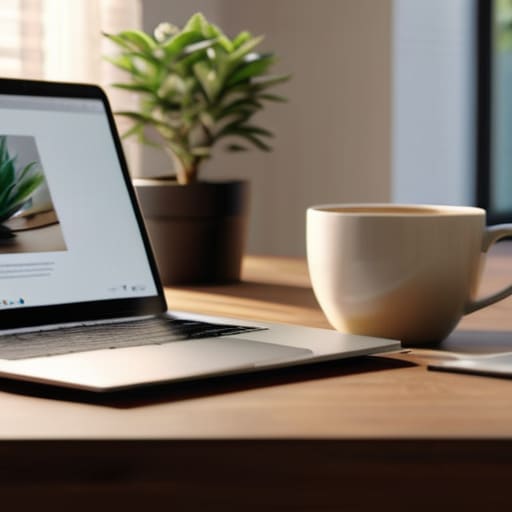
Most people default to whatever angle their laptop provides, which usually means you’re staring up their nose from a low, unflattering perspective. It’s a mistake that immediately kills your professional video call appearance. To fix this, I always tell people to aim for the “eye-level rule.” If your camera is sitting on your desk, you’re essentially giving everyone a view of your ceiling and your chin. Grab a stack of books or a dedicated laptop stand to bring the lens up until it’s directly level with your eyes. This small adjustment changes the entire dynamic of the conversation, making it feel like you’re actually sitting across the table from someone rather than looking down at them.
Once you’ve got the height right, you need to consider your depth. Don’t lean too close to the lens; it distorts your features and makes the frame feel claustrophobic. Instead, pull your chair back slightly so there is a bit of breathing room between your head and the top of the frame. Finding the best webcam angles for meetings is really about creating a sense of balance and stability. When your framing is intentional, you spend less time fidgeting with your position and more time actually focusing on the agenda.
Small Tweaks for a High-Impact Presence
- Clear the visual clutter behind you. You don’t need a professional studio, but a messy bookshelf or a pile of laundry in the background is a massive distraction. Pick one clean wall or a simple, organized corner so the focus stays on your face, not your chores.
- Audit your audio quality. Looking good matters, but sounding like you’re underwater kills your authority instantly. If your laptop mic is picking up every hum in the room, grab a decent pair of wired earbuds or a dedicated USB mic. Clear sound makes you appear more composed and prepared.
- Dress for the role, even if you’re at home. I’m not saying you need a suit, but ditch the wrinkled t-shirt. A simple, well-fitted polo or a clean button-down does more for your professional presence than any expensive camera ever could.
- Minimize digital lag and distractions. There is nothing more frustrating than a frozen frame during a key point. Close your unnecessary browser tabs and kill any high-bandwidth background downloads before the call starts. A stable connection is part of your professional “look.”
- Practice eye contact with the lens, not the screen. It feels unnatural at first, but looking directly into that tiny camera hole—rather than staring at your own image—is what makes people feel like you’re actually engaging with them. It’s a small shift that makes a huge difference in how you’re perceived.
The Bottom Line: Less Friction, Better Presence
Stop overthinking the tech; once you nail your lighting and camera height, you can stop checking your own video feed and start actually listening to the people in the room.
Small, repeatable adjustments—like a simple desk lamp or a stack of books under your laptop—save more time and mental energy than trying to buy your way into a professional studio.
The goal isn’t to look like a movie star; it’s to remove the visual distractions so your expertise and your message can actually get through without the “clutter” of a bad setup.
## The Goal of a Better Setup
“The point isn’t to look like a studio professional; it’s to remove the visual friction that distracts people from what you’re actually saying. When your setup is dialed in, you stop worrying about your shadow or your angle and start focusing on the work.”
Liam Anders Chen
Stop Tweaking and Start Connecting
At the end of the day, looking better on camera isn’t about achieving cinematic perfection; it’s about removing the technical friction that distracts you from your work. We’ve covered the essentials: getting your lighting dialed in so you aren’t a silhouette, and positioning your webcam at eye level so you aren’t staring down at your colleagues. Once you have these foundational systems in place, you stop wasting those first five minutes of every meeting adjusting your monitor or squinting at a dim screen. You’ve turned a chaotic, unpredictable setup into a reliable, repeatable process that works every single time you hit “Join Meeting.”
My goal for you isn’t to turn your home office into a professional film studio, but to help you reclaim the mental energy you usually spend fighting your gear. When your setup is streamlined and invisible, you can finally stop worrying about how you look and start focusing on the actual conversation. Don’t let a poorly angled camera or a shadowy room undermine your presence or your confidence. Get the basics right, set it and forget it, and then get back to what actually matters: doing the work and leading your team.
Frequently Asked Questions
Do I really need a dedicated external microphone, or can I just use my headset?
Look, if you’re just catching up with a teammate, your headset is fine. Don’t overcomplicate it. But if you’re leading a presentation or sitting in high-stakes meetings, that headset mic is usually your weakest link—it sounds thin and picks up every click of your mechanical keyboard. A dedicated USB mic might feel like extra clutter, but the clarity it provides is worth the square footage. Invest in the audio so people actually listen.
How do I stop my background from looking cluttered without buying a green screen?
Forget the green screen; they’re bulky, finicky, and usually look fake. Instead, treat your background like a workspace: curate it. Start by clearing everything that doesn’t serve a purpose. A single plant or a neat bookshelf creates depth without the visual noise. If you can’t move the clutter, just adjust your lighting to focus on your face and let the background fall into a soft blur. Keep it simple, keep it intentional.
What's the best way to manage eye contact when I'm actually reading notes on my screen?
The biggest mistake is putting your notes in a separate window or a physical notebook on your desk. Every time you look down, you signal to the room that you’ve checked out. Instead, drag your notes into a small, narrow window and position it directly at the top of your screen, right underneath your camera lens. It keeps your gaze hovering near the lens, making the connection feel natural rather than scripted.
