I was standing in my kitchen last Tuesday, staring at three different apps on my phone just to dim the lights and start my coffee maker, and I realized I had failed. I thought I was being efficient, but I had actually just built a digital layer of chaos that required more management than a mid-sized logistics firm. Most people think that learning how to set up a smart home means buying every shiny new gadget on the market, but the truth is the exact opposite: a real smart home should reduce your mental load, not add to it. If your technology requires a manual every time you want to turn off a lamp, it isn’t smart; it’s just a chore.
I’m not here to sell you on a futuristic lifestyle filled with unnecessary bells and whistles. Instead, I want to show you how to build a system that actually works for you by focusing on interoperability and simplicity. We are going to strip away the marketing hype and focus on the practical steps of selecting a central hub, automating your most repetitive daily tasks, and ensuring your devices actually talk to each other. My goal is to help you build a streamlined environment so you can stop troubleshooting your house and start actually living in it.
Table of Contents
- Step-by-Step Instructions
- Choosing Your Core a Smart Home Ecosystem Comparison
- The Best Smart Home Hubs 2024 to End the Chaos
- Five Rules to Keep Your Smart Home from Becoming a Headache
- The Bottom Line: Systems Over Gadgets
- ## The Goal Isn't More Gadgets
- Stop Managing, Start Living
- Frequently Asked Questions
Guide Overview
Tools & Supplies
- Smartphone for app configuration and control
- Wi-Fi Router for central network connectivity
- Screwdriver for mounting smart switches or cameras
- Smart Hub/Assistant (1 unit)
- Smart Bulbs (3-5 units)
- Smart Plugs (2-3 units)
- Smart Security Camera (1 unit)
Step-by-Step Instructions
- 1. Start by auditing your current setup and defining your single most important goal. Don’t just buy a smart bulb because it’s on sale; decide if you actually want to automate your morning routine or if you’re just trying to stop wasting electricity on lights you forgot to turn off. I always grab my notebook first to list the specific friction points in my daily life before I spend a single cent on hardware.
- 2. Choose a “brain” for your home—this is your smart home ecosystem—and stick to it. Whether you go with Apple HomeKit, Google Home, or Amazon Alexa, pick one and build around it to avoid the headache of managing five different apps. I personally prefer a setup that prioritizes local control so that if my internet goes down, my lights don’t suddenly become expensive paperweights.
- 3. Invest in a high-quality router before you buy any smart gadgets. Most people try to layer smart devices on top of a cheap ISP-provided router, and that is a recipe for disaster. If you have more than ten smart devices, you’re going to need a mesh system or a router that can actually handle the traffic congestion of a modern, connected household.
- 4. Buy your devices in small, logical batches rather than trying to automate the whole house in one weekend. I suggest starting with smart plugs and lighting because they offer the most immediate “win” for your productivity. It’s much more satisfying to see a lamp turn on via a schedule than it is to struggle with a smart coffee maker that refuses to connect to your Wi-Fi.
- 5. Prioritize devices that use Zigbee or Z-Wave protocols instead of relying solely on Wi-Fi. Wi-Fi devices are easy to find, but they clog up your bandwidth like a messy desk clutters a workspace. Using a dedicated hub for Zigbee or Z-Wave devices keeps your network clean and responsive, which is essential if you want your automation to actually feel seamless.
- 6. Set up your “scenes” and automations with a focus on minimal interaction. A true smart home shouldn’t require you to pull out your phone every time you want to dim the lights; it should happen because you walked into the room or because it’s 10:00 PM. I spend a little extra time fine-tuning my automation triggers so they feel like a natural extension of my habits rather than another chore to manage.
Choosing Your Core a Smart Home Ecosystem Comparison
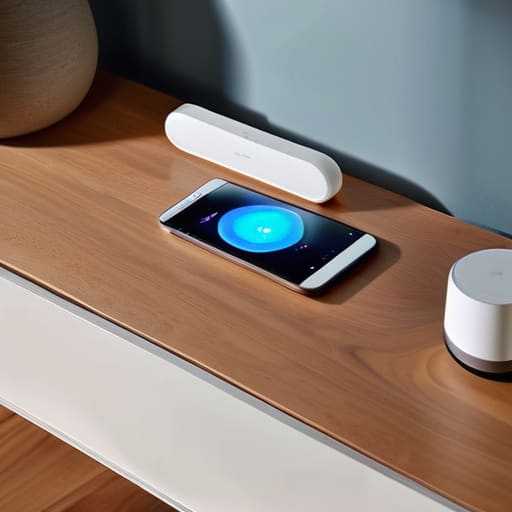
Before you start buying every gadget that catches your eye on an Instagram ad, you need to pick a side. Think of your ecosystem as the foundation of a building; if the foundation is shaky or incompatible, the whole structure will eventually fail you. When doing a smart home ecosystem comparison, don’t just look at the flashy features. Look at the friction. Are you already deep in the Apple ecosystem with an iPhone and Mac, or does your household run on Google Assistant? I’ve learned the hard way that trying to force different platforms to talk to each other is a recipe for a headache you don’t need.
Once you’ve picked your lane, your next move is deciding on your “brain.” Whether you go with a dedicated hub or rely on a smart speaker, you want something that handles voice assistant integration seamlessly. I prefer a setup that feels invisible—you shouldn’t have to fight with an app just to dim the lights. Aim for a system that prioritizes reliability over novelty. It’s better to have five devices that work perfectly every single time than twenty devices that require a manual reboot every Tuesday.
The Best Smart Home Hubs 2024 to End the Chaos
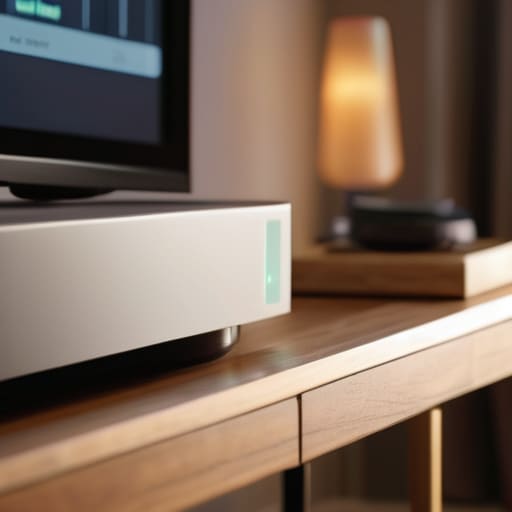
Look, I’ve learned the hard way that if you don’t pick a solid brain for your house, you’ll end up with a dozen different apps fighting for space on your phone. When I’m looking at the best smart home hubs 2024 has to offer, I don’t care about flashy lights or gimmicks. I care about reliability. You want a hub that acts as a single, stable command center so that when you trigger a “movie night” scene, your lights dim and your blinds close without a five-second lag.
If you’re leaning towards a more hands-off approach, a dedicated hub like a Samsung SmartThings or a HomePod is a lifesaver for seamless voice assistant integration. However, if you’re a tinkerer like me, you might prefer something that gives you granular control over every single automation. My rule of thumb? Choose a hub that supports multiple protocols like Zigbee or Matter. It prevents you from being locked into one brand and ensures that as you add more gear, your system stays integrated rather than fragmented. Don’t build a digital mess; build a foundation.
Five Rules to Keep Your Smart Home from Becoming a Headache
- Audit your Wi-Fi before you buy a single bulb. There is nothing more frustrating than spending a Saturday installing smart plugs only to realize your router is struggling to handle the traffic. If your signal is spotty in the kitchen, invest in a mesh system first; otherwise, you’re just buying expensive paperweights.
- Stick to one “language” whenever possible. I know, I know, the variety is tempting, but if you have three different apps just to dim the lights and lock the door, you haven’t automated your life—you’ve just added more chores. Try to prioritize devices that play nice with the ecosystem you chose in the previous step.
- Start small and solve real problems. Don’t go out and buy a smart toaster just because it’s shiny. Start with things that actually reduce friction, like smart lighting for your entryway or a smart thermostat to manage your energy bills. If it doesn’t solve a daily annoyance, it doesn’t belong in your system.
- Plan your power sources. It sounds trivial until you’re standing in a dark hallway trying to figure out if a sensor needs a battery or a plug. When I’m mapping out a new setup, I always check if a device is hardwired or battery-operated so I can manage the maintenance schedule before the “low battery” notifications start driving me crazy.
- Build in a manual fallback. This is the golden rule of systems engineering: never let a system become a single point of failure. Always make sure you can still turn on your lights or unlock your door manually. A smart home should be a luxury that makes life easier, not a trap that leaves you sitting in the dark when the internet goes down.
The Bottom Line: Systems Over Gadgets
Don’t buy tech just because it’s cool; choose devices that actually talk to each other within your chosen ecosystem to avoid digital clutter.
Start small and build your foundation around a reliable hub rather than trying to automate your entire house in a single weekend.
Focus on solving real friction points in your daily routine—like lighting or temperature—to ensure your smart home actually saves you time instead of adding more tasks to your list.
## The Goal Isn't More Gadgets
“A smart home shouldn’t feel like a second job or a collection of blinking lights you have to troubleshoot every Sunday. If your tech isn’t actually giving you back time and mental clarity, it’s not an upgrade—it’s just more noise. Build for utility, not for the novelty.”
Liam Anders Chen
Stop Managing, Start Living

Setting up a smart home isn’t about buying every gadget that hits the shelf; it’s about building a foundation that actually works for you. We’ve covered the essentials: picking an ecosystem that won’t fight itself, selecting a hub that serves as your command center, and layering in devices that solve real problems rather than creating new ones. Remember, the goal is to create a seamless environment where your tech works in the background. If a device adds more friction to your routine than it removes, it doesn’t belong in your system. Keep it simple, keep it compatible, and most importantly, keep it functional.
At the end of the day, your home should be a sanctuary, not another project on your to-do list. I didn’t get into systems engineering to spend my weekends troubleshooting light bulbs; I did it to make life run smoother. Use these tools to reclaim your headspace and your time. Once the automation is running and the chaos is dialed back, you’ll realize that the real value of a smart home isn’t the tech itself—it’s the mental clarity you gain when you finally stop fighting your surroundings. Now, go turn off those lights and actually enjoy your evening.
Frequently Asked Questions
Will adding all these smart devices mess up my existing Wi-Fi speed or cause lag when I'm working?
It’s a valid concern. If you just start plugging in every cheap smart bulb you find, your Wi-Fi will definitely feel the strain. The trick is to offload the heavy lifting. I always recommend using devices that run on Zigbee or Matter rather than cluttering your 2.4GHz band with dozens of individual Wi-Fi connections. Keep your bandwidth for your work calls and streaming; let a dedicated hub handle the small stuff.
Do I really need a dedicated hub, or can I just control everything through my phone?
Look, you can definitely start with just your phone, but there’s a ceiling to that approach. Using an app for every single lightbulb or plug is exactly the kind of “micro-management” I try to avoid. It turns your smart home into just another digital chore. A dedicated hub acts like a conductor for an orchestra; it keeps everything talking locally and instantly, so you spend less time tapping screens and more time actually living.
How do I make sure these gadgets aren't constantly spying on me or leaking my data?
Look, I get it. The idea of a “listening” device in your living room is unsettling. To keep your data tight, start by auditing your privacy settings—toggle off “microphone improvements” or “data sharing” in every app. Use two-factor authentication on every account, and if a device doesn’t need internet access to function, keep it off the Wi-Fi. Treat your home network like a secure system: if you didn’t invite it in, don’t let it stay.
