I remember sitting on my living room floor last November, surrounded by three different smart hubs, four tangled charging cables, and a mounting sense of regret. I had spent a small fortune trying to “automate” my life, but instead, I’d just created a second job for myself as an unpaid IT consultant. Most people think that upgrading your space means buying the flashiest, most interconnected gadgets on the market, but they’re wrong. Learning how to choose tech for your home shouldn’t feel like studying for a systems engineering exam; if a device requires a PhD and a weekend of troubleshooting just to turn on a light, it’s not an upgrade—it’s clutter.
I’m not here to sell you on the latest hype or the most expensive ecosystem. My goal is to give you a practical framework rooted in functional simplicity, helping you identify which tools actually earn their place in your space and which ones are just expensive distractions. I’ll show you how to vet products based on reliability and ease of use, so you can stop managing your gadgets and start actually living in your home.
Table of Contents
Mastering Smart Home Ecosystem Compatibility Without the Headache
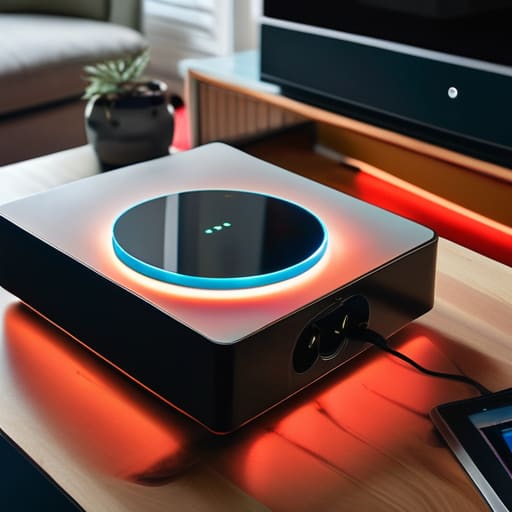
The biggest mistake I see people make is buying “shiny object” gadgets one by one without a plan. You end up with a smart light that talks to Alexa, a thermostat that only works with Google, and a security camera that refuses to acknowledge the existence of your phone. This is how you end up with a digital junk drawer instead of a streamlined home. When you’re integrating IoT devices, you have to pick a “language” first—whether that’s Apple HomeKit, Amazon Alexa, or Google Home—and stick to it.
Think of your home like a well-oiled machine; every part needs to speak the same dialect to function smoothly. Before you swipe your card, check the fine print for compatibility logos. I always tell myself: if it doesn’t play nice with my existing hub, it doesn’t enter the house. Prioritizing smart home ecosystem compatibility from day one isn’t just about convenience; it’s about protecting your future self from the frustration of a fragmented, glitchy setup that requires constant troubleshooting.
Improving Home Connectivity for a Life Without Lag
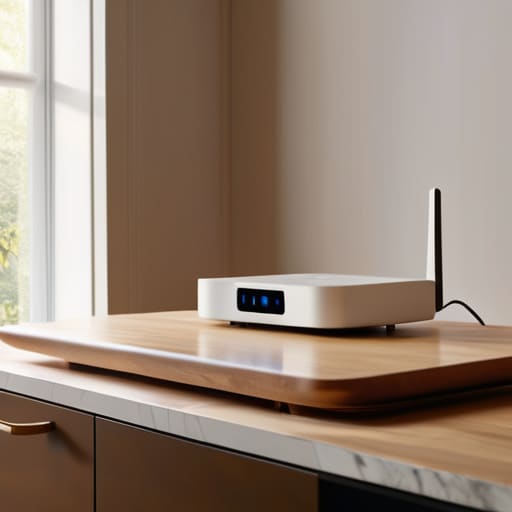
You can have the most expensive smart locks and lighting setups in the world, but they’re useless if they’re constantly dropping offline. I’ve learned the hard way that a “smart” home is only as good as the signal strength reaching your devices. Most people try to layer new tech on top of an aging router provided by their ISP, and that’s a recipe for frustration. If you’re serious about improving home connectivity, stop treating your Wi-Fi like an afterthought. I always recommend investing in a mesh network system; it distributes the load more evenly and ensures that your devices in the far corner of the kitchen aren’t struggling to stay connected.
When you’re integrating IoT devices, remember that every new gadget adds a tiny bit of “noise” to your network. If you’re planning to scale up, don’t just buy whatever is on sale. Think about your bandwidth requirements. I prefer to keep my high-demand devices—like my workstation and streaming gear—on a separate frequency or even a wired connection whenever possible. This keeps the “smart” clutter from slowing down the tools you actually need for work and life.
Five Rules for Buying Tech That Actually Serves You
- Prioritize utility over novelty. Before you hit ‘buy’ on that flashy new gadget, ask yourself: “Does this solve a recurring friction point in my daily routine, or am I just bored?” If it doesn’t save you time or mental energy, it’s just more clutter to manage.
- Audit your existing hardware first. There is no sense in buying a high-end smart hub if your current devices won’t talk to it. Check the specs and compatibility requirements against what you already own to avoid the “orphan device” trap.
- Look for “set it and forget it” reliability. I’ve learned the hard way that tech which requires constant troubleshooting isn’t tech—it’s a second job. Aim for devices with solid build quality and a reputation for stability rather than those with a dozen experimental features.
- Respect your privacy by checking the data footprint. If a device requires a constant cloud connection and a mountain of personal permissions just to turn on a lightbulb, reconsider. The more localized and “offline-capable” a device is, the less likely it is to become a headache later.
- Plan for scalability, not just the immediate fix. Don’t just buy for the one room you’re upgrading today. Choose systems that allow you to add more components easily so you aren’t rebuilding your entire setup from scratch in six months.
The Bottom Line: Keep It Simple
Stick to one ecosystem—whether it’s Apple, Google, or Alexa—to avoid the constant headache of devices that refuse to talk to each other.
Prioritize your network stability first; there’s no point in buying a high-end smart lock if your Wi-Fi can’t reliably reach the front door.
Buy for utility, not for the “wow” factor; if a gadget doesn’t solve a specific friction point in your daily routine, it’s just more digital clutter you don’t need.
The Golden Rule of Home Tech
“Don’t buy gadgets just because they have a shiny app; buy tools that solve a friction point in your day. If a piece of tech requires more time to manage than the problem it’s supposed to fix, it’s not an upgrade—it’s just more clutter.”
Liam Anders Chen
Final Thoughts on Building a Smarter Space

At the end of the day, choosing home tech shouldn’t feel like a second job. We’ve covered how to prioritize ecosystem compatibility so your devices actually talk to each other, and how to shore up your connectivity to ensure your network doesn’t buckle when you need it most. The goal isn’t to own the most expensive gadget on the market; it’s to build a foundation of reliable, interoperable systems that work quietly in the background. When you focus on stability and compatibility rather than just flashy specs, you avoid the inevitable frustration of a smart home that feels more like a collection of broken tools.
Don’t let the pursuit of the “perfect setup” become another source of clutter in your life. Technology should serve your schedule, not dictate it. Whether you’re automating your lighting to wind down after a long shift or optimizing your router for a seamless remote workday, remember that the best tech is the kind you eventually forget is even there. Buy what solves a problem, skip what adds complexity, and keep your focus on reclaiming your time. Build a home that supports your life, rather than one that requires constant maintenance.
Frequently Asked Questions
Should I prioritize voice control or app-based automation for my daily routine?
Look, it’s not about which one is “better,” it’s about where you are when you need the action. If you’re mid-cooking or hands are full with a toddler, voice control is your best friend—it’s about frictionless utility. But for complex, multi-step routines—like dimming lights, locking doors, and setting the thermostat all at once—stick to app-based automation. Use voice for quick commands; use apps to build the systems that run in the background.
How do I know if my current electrical setup can actually handle more smart devices without tripping a breaker?
Before you go buying more smart plugs, do a quick audit of your circuit load. Check your breaker box to see how many amps each circuit handles—usually 15 or 20. Most smart devices pull very little power, but if you’re adding smart appliances or high-draw lighting to a circuit already running a space heater or a desktop rig, you’re asking for a trip. If you’re unsure, grab a multimeter; otherwise, stick to spreading devices across different circuits.
Is it worth investing in expensive, high-end tech now, or should I just start small with budget-friendly gadgets to see what sticks?
Start small. I’ve seen too many people drop a massive paycheck on a “smart home” suite only to realize they hate the interface or the ecosystem doesn’t play nice with their existing gear. Treat your home like a systems engineering project: prototype first. Buy a few budget-friendly, reliable devices to test the workflow. Once you’ve ironed out the kinks and found what actually adds value to your daily routine, then you can scale up.
