I used to think that if I just bought the right $30 productivity planner or downloaded another “aesthetic” scheduling app, my life would suddenly fall into place. I was wrong. Most of the advice you see online about time blocking feels like it was designed by people who have never actually had to manage a chaotic operations floor or a mounting pile of real-world responsibilities. They treat it like a sacred ritual of color-coded perfection, but in reality, an overly rigid schedule is just another way to fail at your own expectations when life inevitably gets messy.
I’m not here to sell you on a lifestyle of hyper-optimization or complex, fragile systems that break the moment a single meeting runs late. Instead, I want to show you how to use time blocking as a practical tool to reclaim your mental clarity, not as a cage to trap your creativity. I’m going to share the stripped-back, functional approach I use to keep my days from spiraling into chaos, focusing on repeatable systems that actually work when things get loud. Let’s cut through the fluff and get your time back.
Table of Contents
Optimizing Daily Workflow Through Intentional Calendar Management Strategie

To get this right, you have to stop treating your calendar like a passive wish list and start treating it like a blueprint. Most people fail because they try to jam a never-ending to-do list into a day that only has so many hours. When I’m optimizing daily workflow, I don’t just list tasks; I assign them a physical space in my day. This is where the distinction between time boxing vs time blocking becomes vital. While blocking gives you a general window for a project, boxing sets a hard deadline for a specific task. I prefer boxing for my high-intensity chores because it forces me to respect the clock, preventing a single email from bleeding into my entire afternoon.
The real magic happens when you use these calendar management strategies to protect your mental energy. I’ve found that the biggest thief of productivity isn’t a lack of time, but the constant friction of reducing context switching. If you jump from a spreadsheet to a client call to a quick Slack check every ten minutes, your brain never actually hits its stride. By grouping similar tasks together, you create a buffer that allows for true, uninterrupted focus.
Choosing Between Time Boxing vs Time Blocking for True Freedom
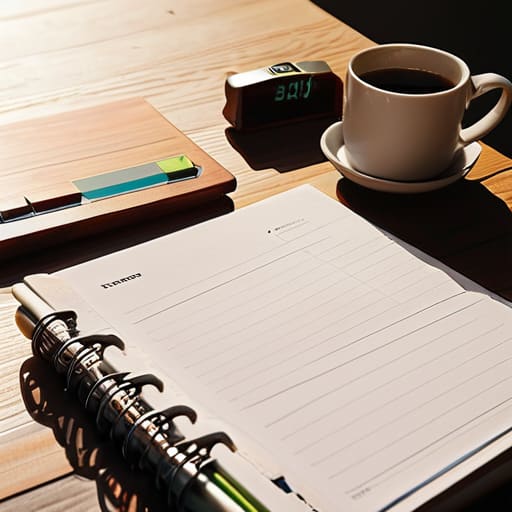
I used to think these two terms were interchangeable, but after years of managing chaotic operations, I realized the distinction is where most people lose their sanity. When you’re managing daily task lists, the difference comes down to intent. Time blocking is about creating a dedicated space for a category of work—like “Email” or “Project Planning”—giving you a general roadmap for the day. It’s flexible, which is great for high-level organization, but it can sometimes lead to “calendar creep” where tasks bleed into one another.
If you want to go a step further, you need to look at time boxing vs time blocking through the lens of strict boundaries. Time boxing isn’t just about when you work; it’s about setting a hard limit on how long you spend. I use boxing for my most demanding tasks to force a sense of urgency. By assigning a fixed duration to a specific goal, you effectively stop the endless cycle of perfectionism and create a hard stop that protects your mental energy. It’s the ultimate tool for reducing context switching and ensuring you actually cross the finish line.
Five Rules to Keep Your Blocks from Breaking
- Stop overstuffing your calendar. I learned the hard way that if you schedule every single minute, one unexpected phone call will wreck your entire afternoon. Leave “buffer blocks”—30 minutes of nothingness—between deep work sessions to absorb the inevitable chaos of the day.
- Group your shallow tasks together. Don’t let tiny, mindless things like replying to emails or filing receipts pepper your entire day. Batch them into one single, dedicated block so they don’t hijack your focus when you’re trying to do real work.
- Respect your biological prime time. If your brain is sharpest at 8:00 AM, don’t waste that peak energy on administrative clutter. Block your most demanding, high-leverage projects for when you actually have the mental bandwidth to crush them.
- Use color coding, but keep it functional. I use specific colors for “Deep Work,” “Admin,” and “Personal.” If your calendar looks like a chaotic rainbow, it’s useless; if it’s organized, you can glance at your week and instantly know if you’re actually making progress or just spinning your wheels.
- Review and recalibrate every Sunday. A system that doesn’t evolve is just another chore. Spend fifteen minutes every Sunday night looking at what worked and what didn’t, then adjust your blocks for the coming week so you’re walking into Monday with a plan, not a prayer.
The Bottom Line: Systems Over Chaos
Stop treating your calendar like a wish list; use time blocking to turn vague intentions into concrete, manageable commitments.
Don’t over-engineer your day—the goal isn’t a perfectly filled schedule, but a system that gives you the mental clarity to focus on what actually matters.
Choose the method that fits your brain, whether that’s the rigid structure of time boxing or the fluid rhythm of time blocking, as long as it stops the constant decision fatigue.
The Core Philosophy
“A calendar shouldn’t be a list of chores you’re failing to complete; it should be a blueprint for the life you actually want to lead. Stop letting your day happen to you and start deciding where your energy goes.”
Liam Anders Chen
Stop Planning, Start Doing

At the end of the day, time blocking isn’t about turning yourself into a robot or filling every single minute with a task. It’s about drawing a line in the sand between your obligations and your life. We’ve covered how to optimize your workflow, how to choose between the rigid structure of time boxing and the fluid nature of blocking, and how to make these systems work for you rather than against you. The goal is to eliminate the decision fatigue that drains your battery before noon. Once you stop constantly asking yourself “what should I be doing right now?”, you’ve already won half the battle.
Don’t wait for the perfect digital planner or the ultimate productivity app to arrive before you start. Grab a pen, open a blank page in that notebook I’m always carrying, and just block out your first three hours tomorrow. Systems are meant to be iterated upon, not perfected on day one. Start small, keep it functional, and remember that the entire point of organizing your chaos is to create the space necessary to actually enjoy your existence. Now, close the laptop, step away from the screen, and go live the life you just spent all that time planning for.
Frequently Asked Questions
What do I do when an unexpected crisis or "emergency" meeting completely destroys my planned blocks for the day?
Don’t panic and don’t try to “make up” the lost time. That’s how you end up working until midnight. When a crisis hits, treat your calendar like a system under repair: stop, assess, and pivot. Open your notebook, identify the three non-negotiable tasks that must happen today, and aggressively prune everything else. Re-block only the essentials. You aren’t failing the system; you’re recalibrating it to survive the friction.
How much buffer time should I actually build in between tasks to prevent the whole system from collapsing?
Look, if you schedule your day back-to-back like a machine, you’re setting yourself up for a total system failure. Life isn’t a spreadsheet; meetings run long and coffee spills happen. I personally build in a 15-minute buffer between major tasks. It’s enough time to reset, grab water, or just breathe. If you can’t afford that 15-minute gap, your schedule is too tight. Build the cushion now, or the chaos will build it for you later.
Is it better to use a digital calendar for this, or does the tactile nature of a paper planner work better for staying focused?
Honestly, it’s a trade-off between friction and visibility. I use a digital calendar for the heavy lifting—syncing meetings and setting reminders so nothing slips through the cracks. But for the actual execution? I keep a paper planner on my desk. There’s a tactile satisfaction in physically crossing off a task that a screen just can’t replicate. Use digital to manage the chaos, but use paper to stay present in the moment.
